Master the Pomodoro Technique for Studying: The Ultimate Custom Timer App
"I want to study, but I end up checking my phone." "I can't seem to focus while working." If you struggle with maintaining concentration, you are not alone.
Human concentration isn't designed to last for long periods without breaks. That's why using a pomodoro technique timer has become the most popular and effective way to dramatically increase productivity.
In this article, we will explain the core concepts, and show you how to create the ultimate focus environment by combining your favorite images and YouTube music.
Pomodoro Technique Meaning: What is it?
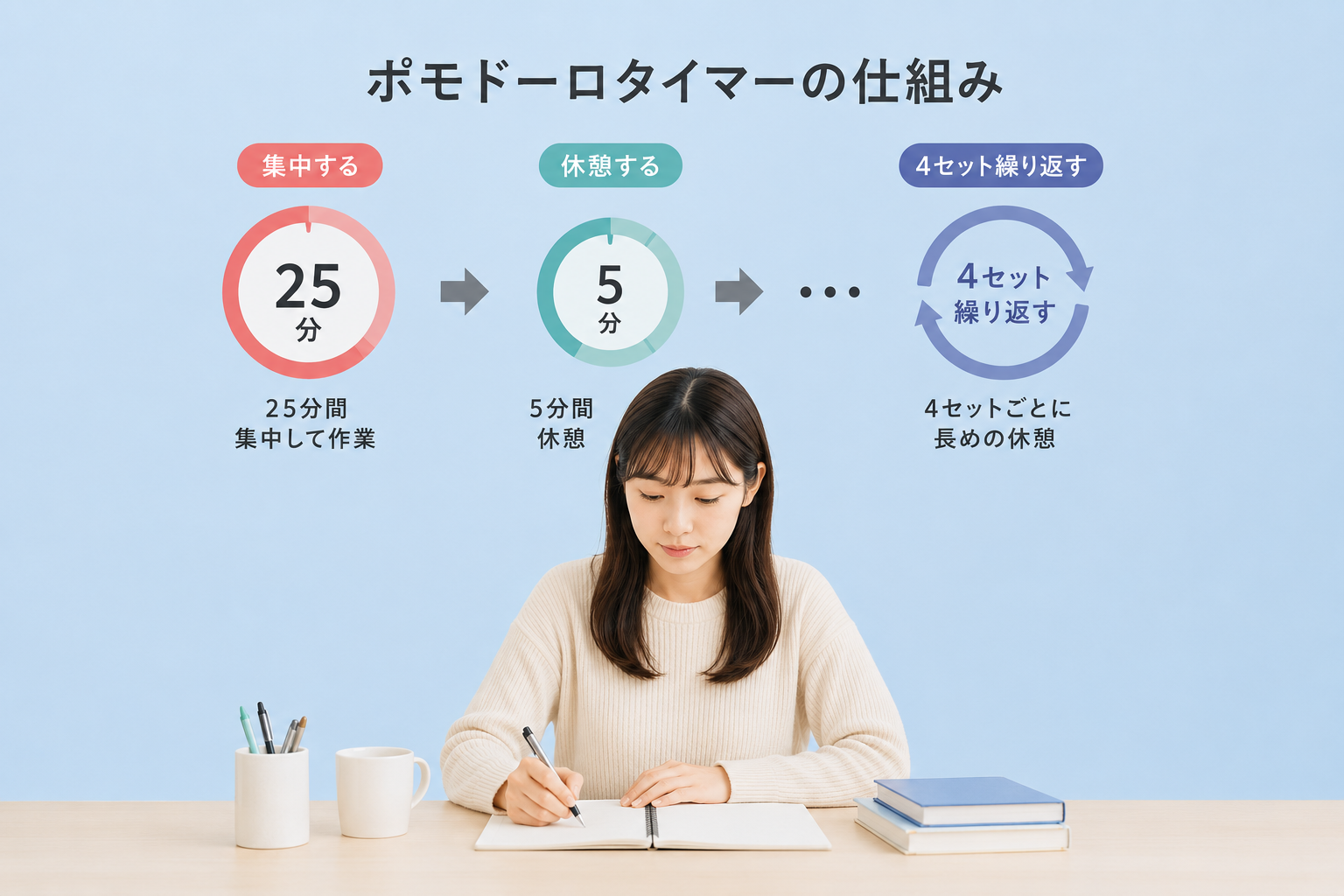
To understand the true pomodoro technique meaning, you just need to know its origin. Invented in the late 1980s by Francesco Cirillo, it was named after the tomato-shaped kitchen timer he used ("pomodoro" means tomato in Italian).
The core concept is to break down your work into intervals, traditionally 25 minutes in length, separated by short breaks. This simple method prevents brain fatigue and keeps your mind fresh.
The Pomodoro Technique 25 Minutes Rule
The secret to its success lies in the pomodoro technique 25 minutes rule. The cycle is straightforward:
- 25 minutes: Focus entirely on a single task without any distractions.
- 5 minutes: Take a short break to rest your brain.
- *After repeating this cycle 4 times, take a longer break of 15-30 minutes.
Knowing you only need to work for 25 minutes lowers your psychological barrier. This is why using the pomodoro technique for studying is highly recommended for students and professionals alike.
Why You Need a Dedicated Pomodoro Technique Timer App
You might wonder why you can't just use your smartphone's default clock. The truth is, standard timers are plain, boring, and can easily lead to distractions if notifications pop up.
To maximize your performance, you need an environment you find "fun" or "comfortable." That is exactly why we created OshiPoMo, the ultimate customizable pomodoro technique timer app.

1. Set Your Favorite Image as the Background
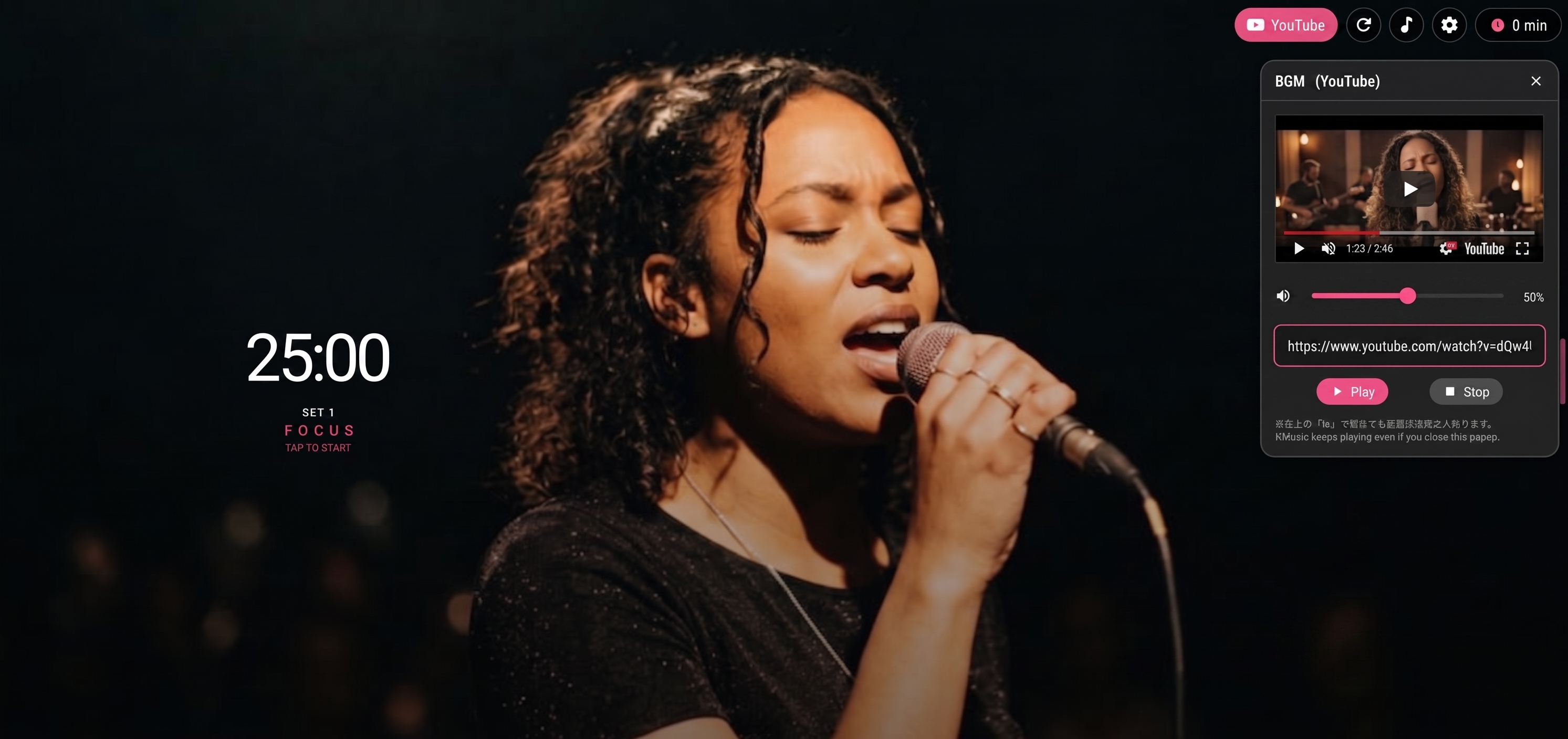
With OshiPoMo, you can set your favorite images from your smartphone or PC—such as your favorite idols, anime characters, pets, or beautiful landscapes—as the background. You can even set different images to display during your focus time and break time.
2. Play YouTube Videos as BGM
By simply entering a YouTube URL, you can loop the audio of your favorite video as BGM while your timer runs. Set your work BGM according to your mood: Lo-Fi HipHop, cafe ambient sounds, or game soundtracks.
3. Encourage Yourself with Custom Messages
You can randomly display custom cheering messages on the screen during work or breaks, such as "Just 5 more minutes!" or "Great job, take a rest."
Complete Privacy Protection
"I'm worried about uploading personal photos or pictures of my favorite idols..." Rest assured.
All images and text set in OshiPoMo are processed entirely within your local device (browser). No data is ever saved or sent to any external servers. We adopt a thorough privacy protection design where everything is completely erased when you close the browser.
Start Your 25-Minute Focus Session Now
OshiPoMo is completely free and requires no troublesome membership registration or installation.
Why not access it from your browser right now and create the ultimate focus space packed with your favorites?